Product · Game Design · Research Tooling
We Built the Game.
Then I Automated the Study.
No off-the-shelf game gave us the control we needed over agent behavior. The system that runs it went from 60 manual steps to one click.
Role
Product Owner · Game Designer · Research Engineer
Tools
Unity, Node.js, PsychoPy, OBS Studio, iMotions
Approach
AI-Assisted Development
Timeline
2025–2026
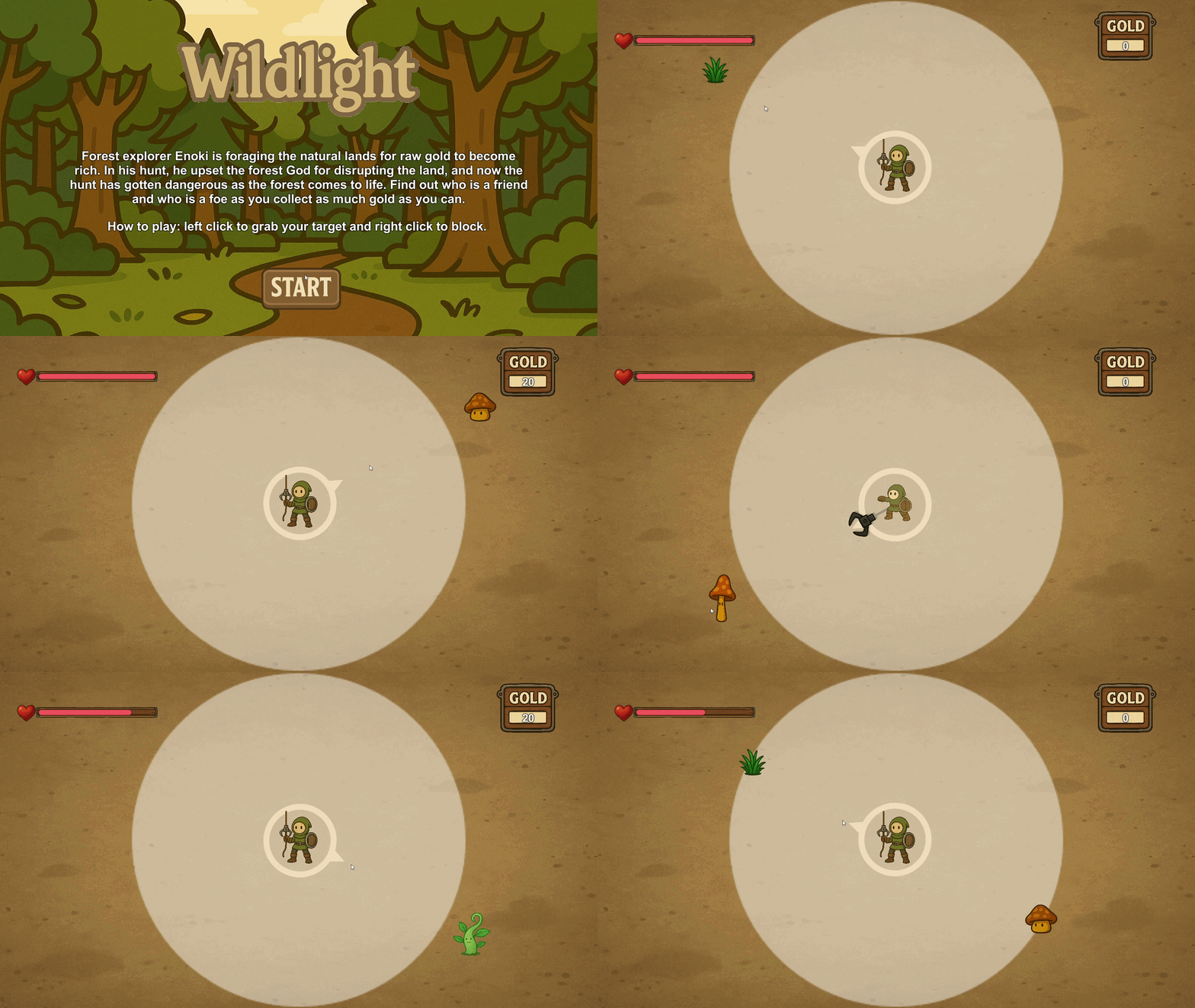
The Game
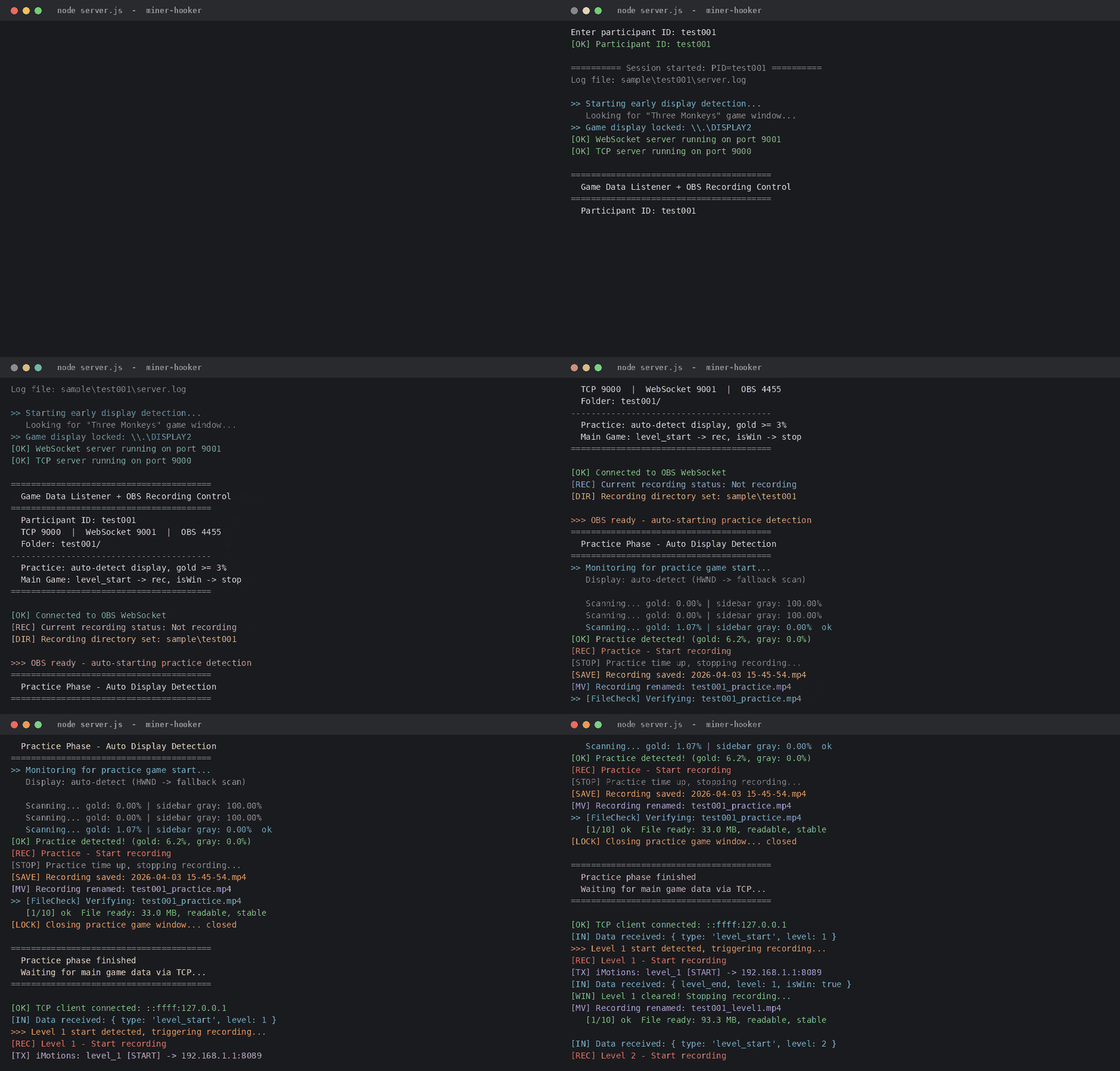
The System
The Research Question
“How do players build, lose, and rebuild understanding while navigating a complex game environment?”
Nothing on the market let us control agent behavior at that level. So we built one.
01 — THE GAME
The Game
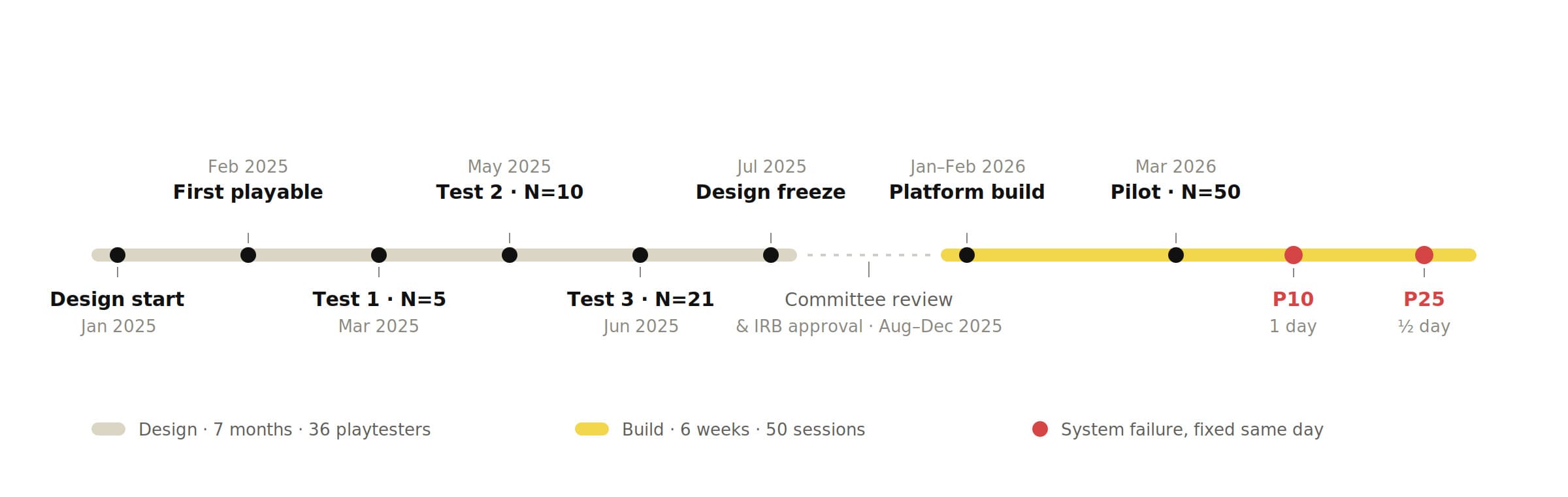
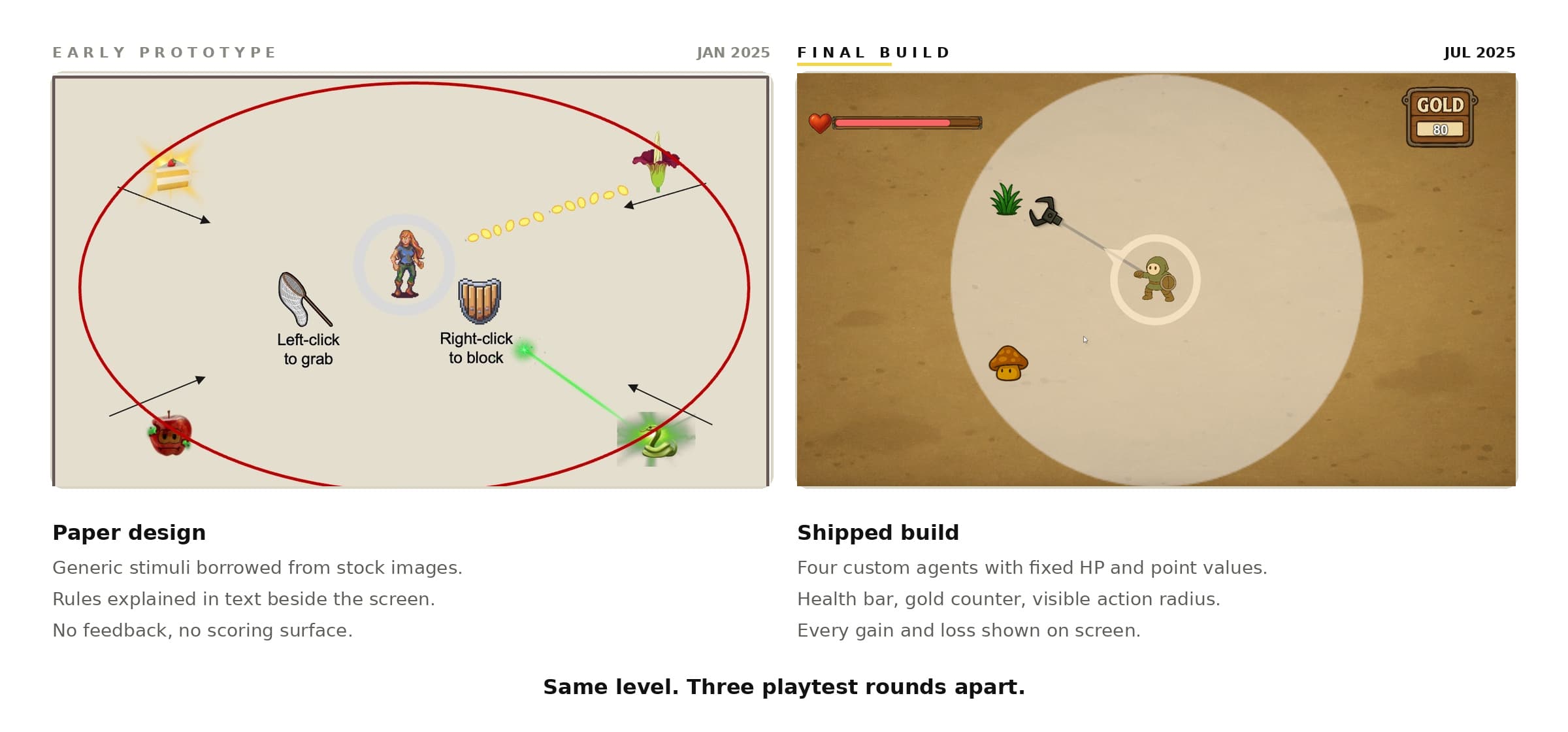
I owned the design. Working with one engineer, we had a first playable in six weeks. Then we tested it. 36 participants played it across 3 rounds. Each round told us what was too hard, too easy, or too confusing. We changed the level curve, the agent behavior, and the death-retry loop based on what we saw.
The final version does one thing well. It makes players build a mental model, then breaks it — on purpose.
36
Playtesters · 3 rounds
6
Levels, difficulty-calibrated
4
Game agents
0→1
Prototype to research build
Group 1 — Unambiguous
These two teach the rules. Good is good. Bad is bad.

Lucky Leaf
- HP
- +20
- Points
- +20

Toxic Vine
- HP
- -20
- Points
- -20
Group 2 — Coactivation
These two break the rules. Health and score move in opposite directions. Every encounter forces a choice.

Fat Mushroom
- HP
- +20
- Points
- -20

Tall Mushroom
- HP
- -20
- Points
- +20
The first two agents let players build a model. The last two make that model useless. What players do next is the data.
How It Was Designed
Three rounds, 36 playtesters. Every round produced a change, and every change went back through the same loop.
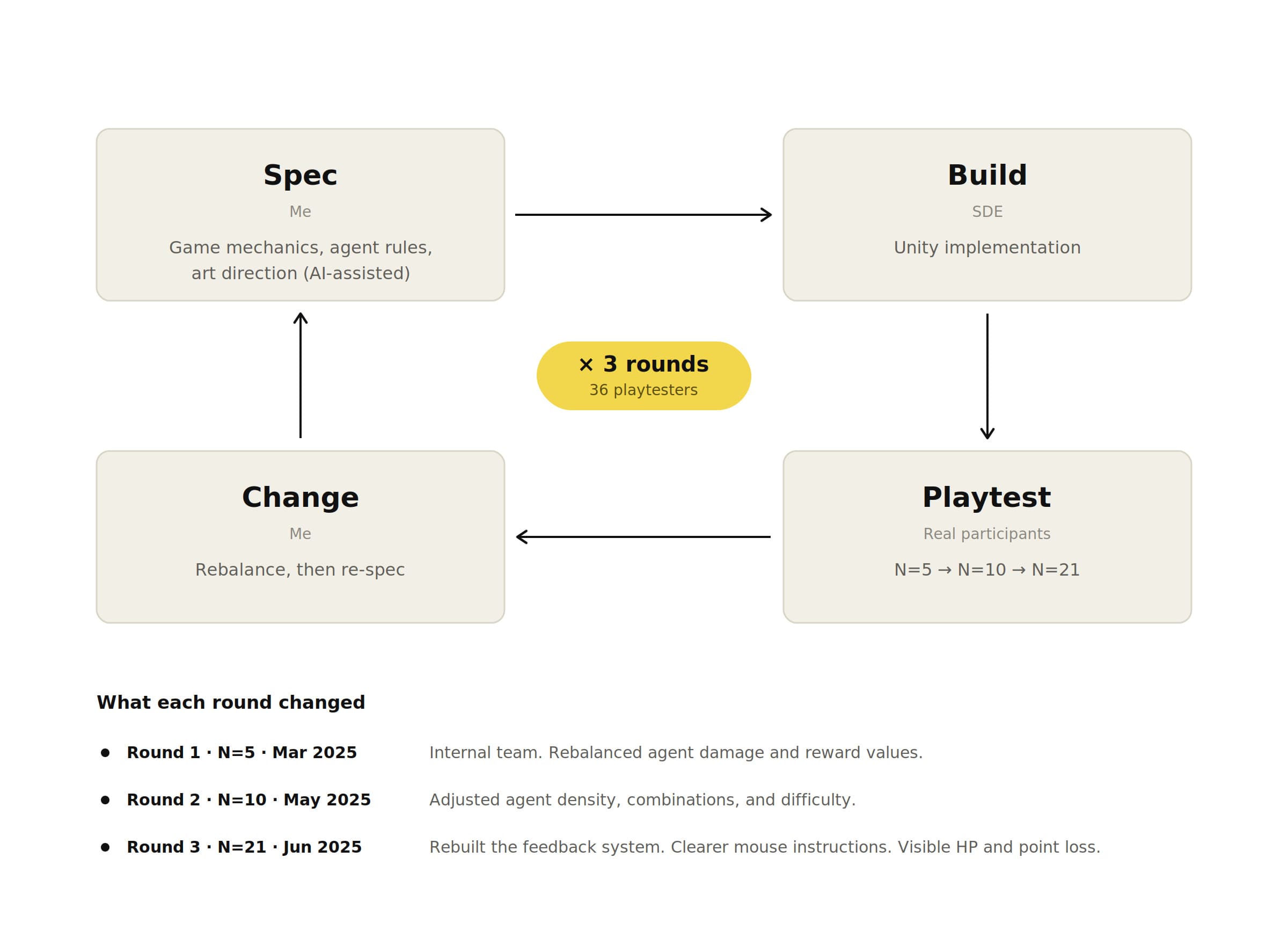
Tracked in Notion — 5 sprints, 40+ tickets.
The game was done. The harder problem was running it 50 times without a mistake.
02 — THE SYSTEM
The Problem
The game worked. Running the study didn't.
Every session needed five programs to stay in sync. One mistimed click and the data was unusable. 60+ minutes of manual setup and monitoring per participant.
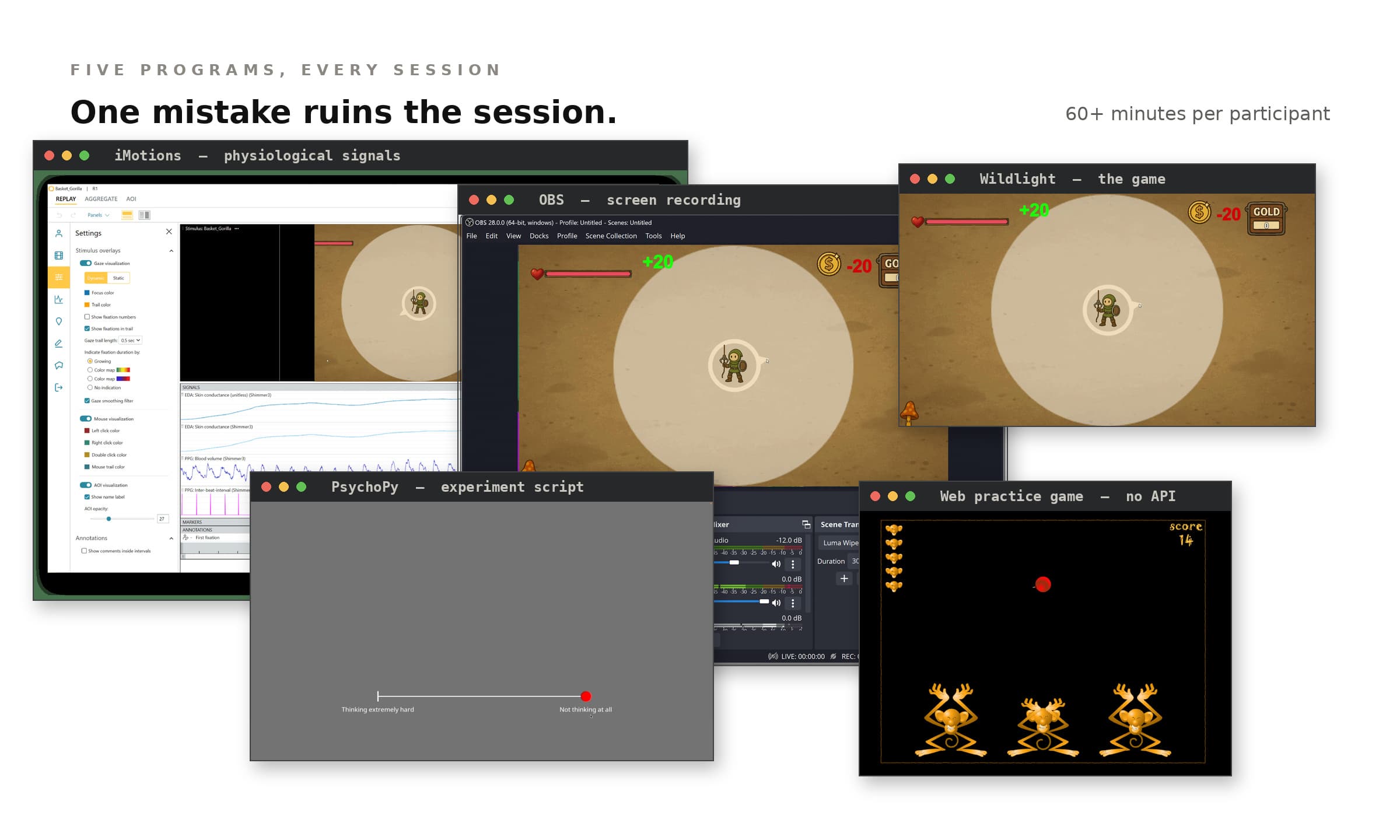
Unity game
6 levels, each needs its own recording and event marker
Web practice game
No API. No way to know when it starts or ends
OBS
Start, stop, and rename 7 files without missing a frame
iMotions
Mark 6 level boundaries by hand, on a second computer
PsychoPy
Run the script, replay videos, collect CRM ratings and 2 questionnaires
60+ minutes. Zero margin for error.
02.5 — THE HARD PART
No API. So it reads the screen.
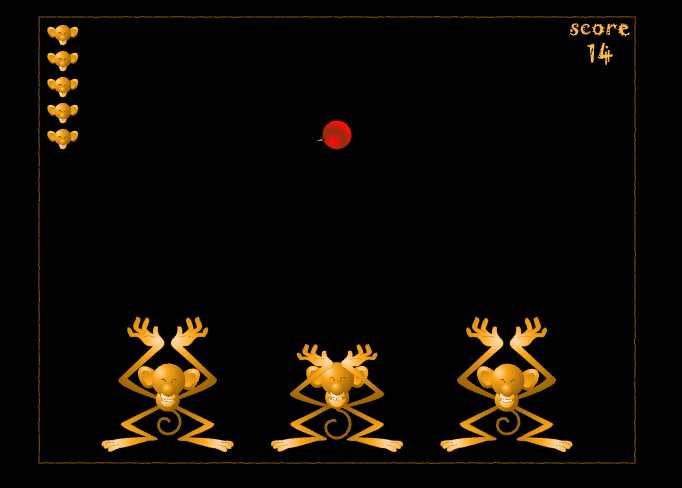
Participants train on the CRM rating scale using a browser game. We don't own that game. We can't modify it. The system still needs to know the exact moment it starts and the exact moment it ends.
- No APInothing to call
- No logsnothing to read
- No eventsnothing to listen for
CRM — participants rate their experience continuously while re-watching their own gameplay.
Read the pixels instead.
The detector samples the screen in real time and counts pixels matching the game's color signature.
That alone wasn't enough. Before the study begins, PsychoPy plays a tutorial that explains the CRM scale. It uses Pac-Man as the example, because everyone knows Pac-Man. Pac-Man is gold. The detector fired on the tutorial and started recording the wrong screen.
So it checks two things instead of one. Gold pixels above threshold, and no PsychoPy gray frame. Both have to be true. Edge regions stay excluded so the browser interface never triggers it.
| Signal | Tutorial video | Practice game |
|---|---|---|
| Gold pixel ratio ≥ 3% | yes | yes |
| PsychoPy gray frame | present | absent |
| Recording | does not start | starts |
Tutorial video
- Gold pixel ratio ≥ 3%
- yes
- PsychoPy gray frame
- present
- Recording
- does not start
Practice game
- Gold pixel ratio ≥ 3%
- yes
- PsychoPy gray frame
- absent
- Recording
- starts
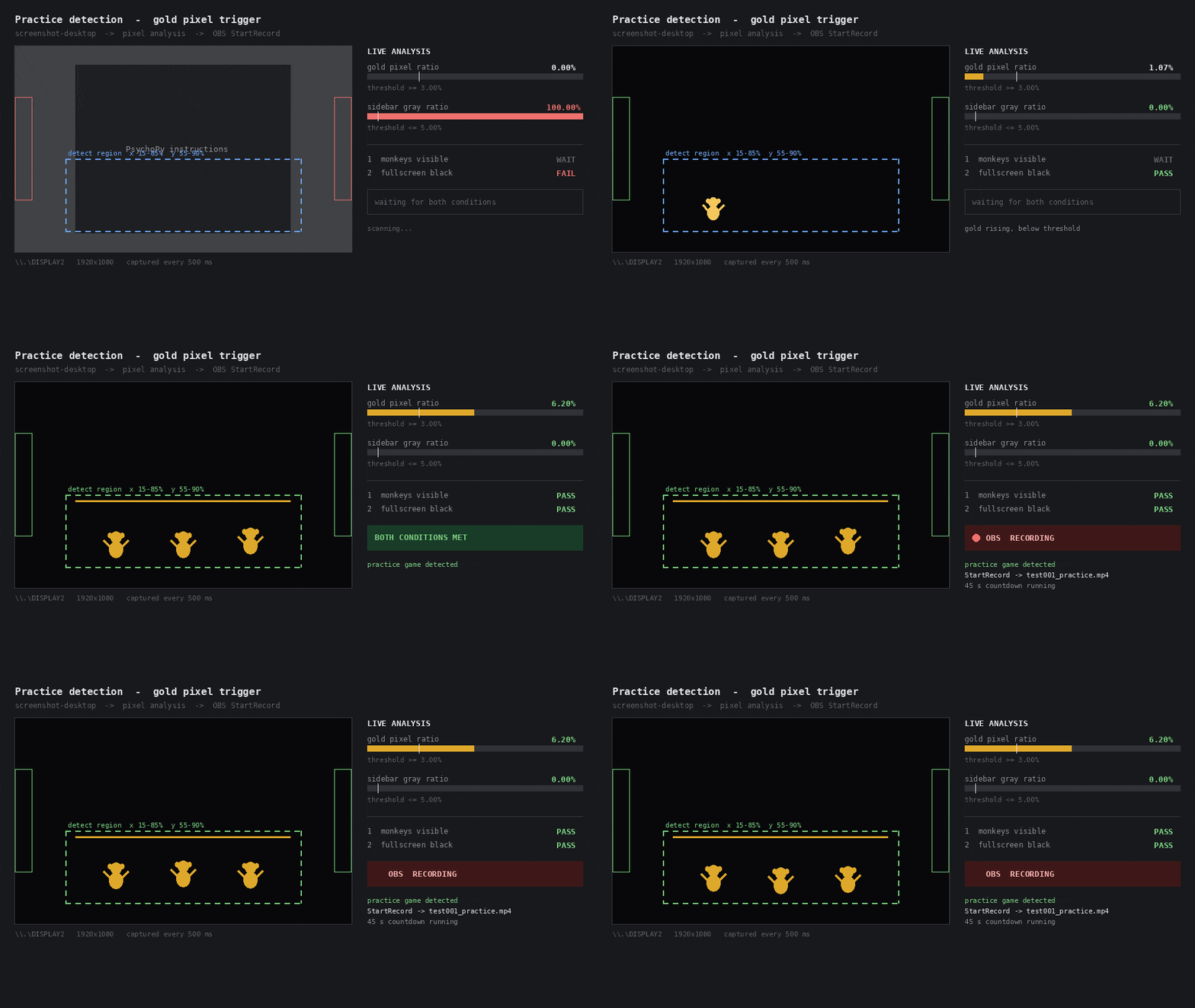
- Sample rate
- continuous, per frame
- Signal 1
- gold pixel ratio ≥ 3%
- Signal 2
- no PsychoPy gray frame
- Exclusion
- browser chrome and screen edges
One signal was easy to build. Finding out it wasn't enough took a false positive.
The Build
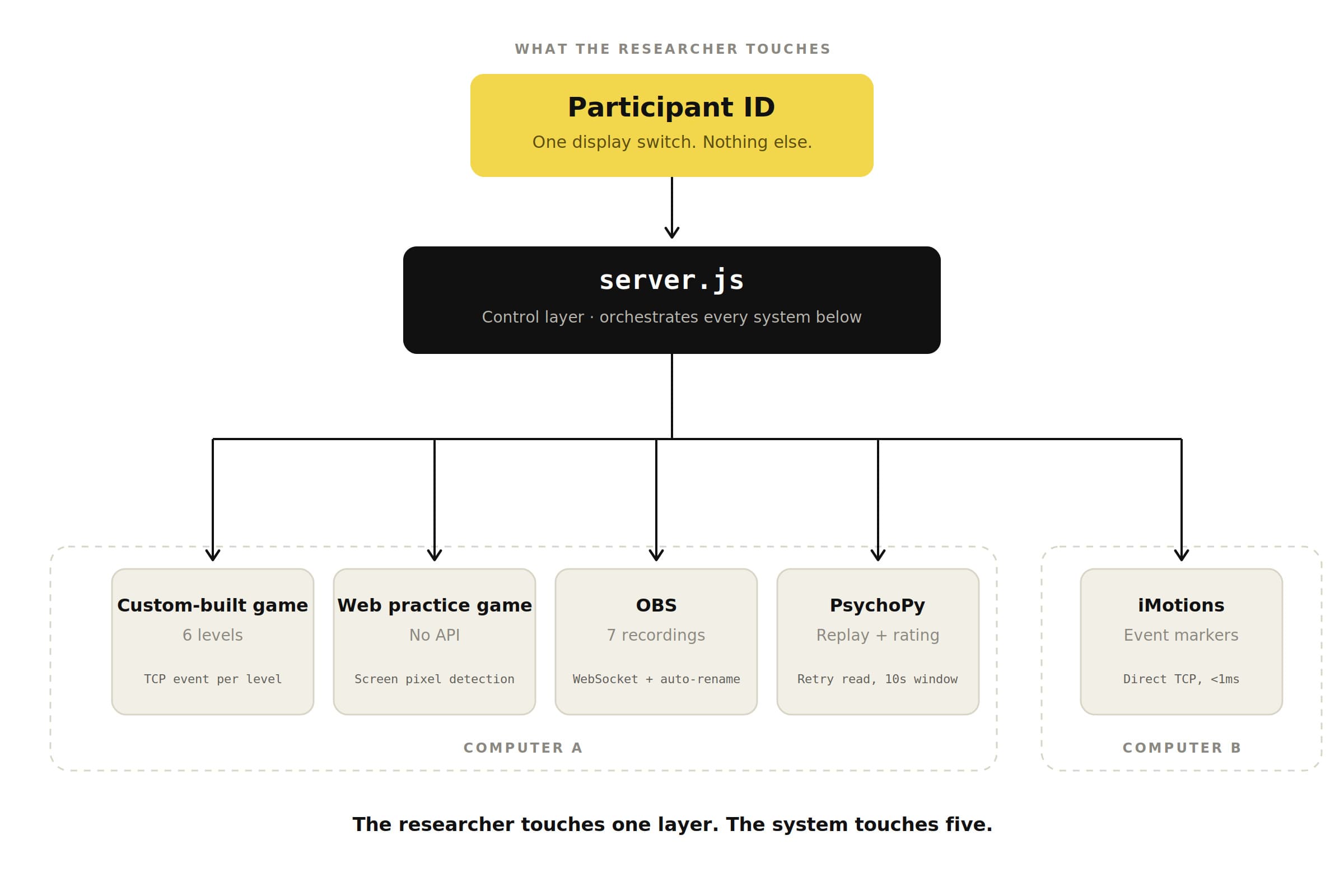
Enter a participant ID.
Everything else is automatic.
01
The Controller
Game TCP events auto-trigger OBS recording per level.
server.js → OBS WebSocket
02
Practice Detection
Screen pixel analysis detects a web game with no API.
Gold pixel ratio ≥ 3% + edge exclusion
03
Experiment Script
Auto-replay + real-time rating after each level.
PsychoPy rewrite: 2500 → 920 lines
04
Physio Integration
Sub-millisecond event markers to Computer B.
Direct TCP → iMotions (no middleware)
05
Edge Hardening
Every live test exposed a new failure mode. Each one became a fix.
10× retry, 30s wait, display config, cursor fix
What Broke
Two failures in 50 sessions. Both fixed before the next participant.
Participant 10: the screens
Two monitors. The connection dropped. Screen detection failed, so recording never started, so PsychoPy had no video to load. The session crashed.
Fixed the same day. The system now checks the display configuration before every session and confirms the recording started.
Participant 25: the timing
OBS doesn't release a finished file at a fixed time. It saves, renames, then frees it. PsychoPy tried to read the file too early and crashed.
Fixed the same day. PsychoPy now retries for 10 seconds. The researcher can also go back one page and try again. No session is lost.
The Result
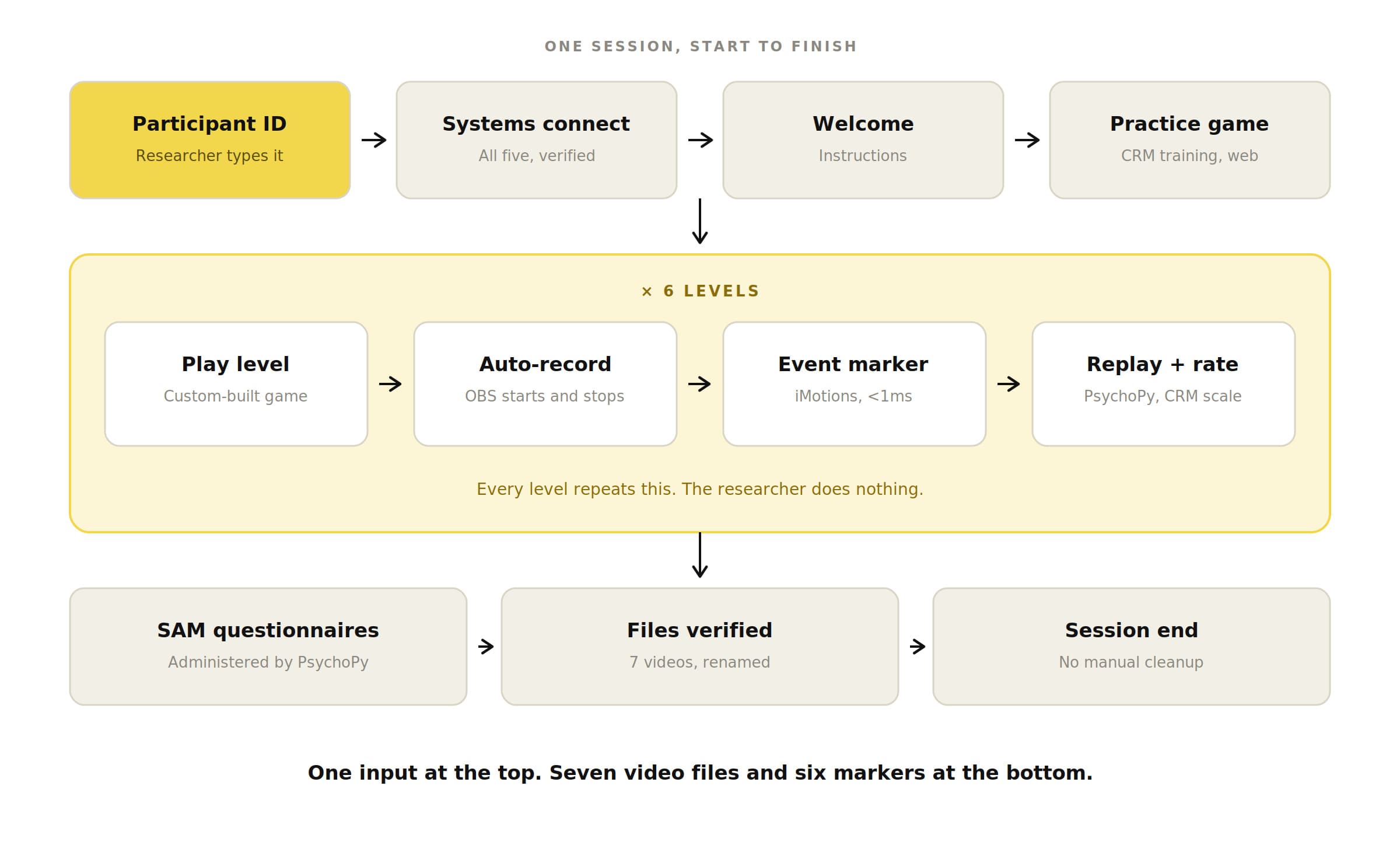
60+→ 1
Manual steps per session
50
Sessions run
0
Data-loss incidents
5
Systems orchestrated
<1ms
Marker latency
Data collection wrapped in March 2026. Analysis of how players rebuilt their mental models after the coactivation agents is in progress.
03 — THE METHOD
How It Was Built
I wrote the requirements. The AI wrote the code. Real hardware decided what shipped.
This only works if the requirements are testable. Knowing the experiment protocol was the hard part. Generating the code was not.
The Human
Game design & experiment protocol
Requirements & acceptance criteria
Hardware constraints & trade-offs
Testing on real equipment
The AI
Code generation & architecture
Cross-platform implementation
Debugging from error logs
Technical analysis & iteration
Reflection
I built two things — a game, and the system that runs it. Both taught me the same lesson, and it wasn’t the one I expected.
I used to think the job was writing the perfect spec before building. This project taught me the opposite. The two failures that mattered — a dropped display, a file read too early — weren’t in any spec. They only showed up when the system ran with a real participant. The lesson wasn’t to plan harder. It was to reach the real environment sooner. It’s how I’m approaching the main study.
Thanks for reading!